
Guides
Guides for using Credit Reaper.
Walk through workspace setup, credit lines, usage terms, evidence, access, reports, billing, and notification workflows using the current product surface.
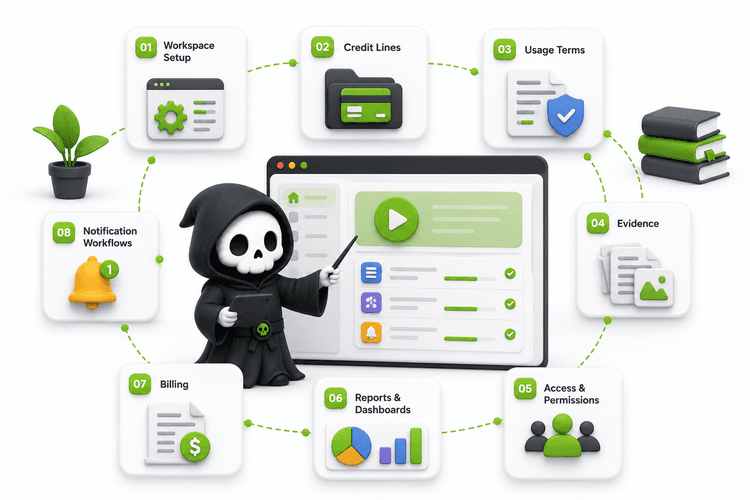
Guide library
Pick the job you are trying to finish.
Each guide links back to the app route where the workflow lives and calls out what is current versus support-assisted.

Getting started with Credit Reaper
6 min read - Set up the first workspace records: sign in, choose a company path, add an entity, create a credit line, and review the dashboard.
View detailsUnderstanding credit lines
5 min read - Learn credit provider/recipient roles, credit amount versus current available balance, statuses, lifecycle dates, notes, documents, and activity.
View detailsTracking usage terms
4 min read - Use expected, minimum, and maximum usage guidance to spot below-range, on-track, near-limit, and over-limit credit behavior.
View detailsAdding supporting documents
5 min read - Upload, download, and archive evidence such as agreements, invoices, statements, receipts, images, and related files.
View detailsManaging users and access
6 min read - Understand owner, admin, member, viewer, and entity-scoped users, plus access requests and invitations.
View detailsReading reports and dashboards
5 min read - Read dashboard KPIs, aging balances, exposure by entity, recent activity, and visual/table report modes.
View detailsBilling and plan limits
4 min read - Review plan usage, limits, subscription state, support-assisted billing paths, and what to check when limits are reached.
View detailsNotifications and activity
4 min read - Use notification inbox updates, request activity, audit-backed history, and support diagnostics without overclaiming email delivery.
View detailsNext step
Need a workflow walkthrough?
Use support or contact us for help mapping your company, entities, and credit relationships.